

How to Design Auto Service Site for Maximum Leads
- a few seconds ago
- 11 min read

Running an automotive service centre means you handle everything from urgent repairs to customer queries, often all at once. Defining exactly what your website must achieve saves time, prevents costly missteps, and supports real growth for your garage. Focusing first on identifying your core purpose and audience creates a foundation for a site that attracts and converts British drivers instead of confusing or losing them.
Table of Contents
Quick Summary
Essential Insight | Explanation |
1. Define Your Website’s Core Purpose | Know what functions your site must perform to align with business goals. Prioritisation avoids confusion and enhances user experience. |
2. Engage Visitors with Lead-Generation Features | Implement tools like online booking and live chat to convert site visitors into customers, significantly increasing engagement. |
3. Integrate Systems for Seamless Functionality | Connect booking and quote systems with existing software to streamline operations, reduce redundancy, and enhance customer satisfaction. |
4. Optimise for Local Search Visibility | Ensure your site is discoverable through local SEO practices, including maintaining accurate business information and creating location-specific content. |
5. Conduct Thorough Testing Before Launch | Rigorous testing of all site functionalities guarantees a smooth user experience, preventing costly mistakes and ensuring customer trust upon launch. |
Step 1: Define your automotive website requirements
Before you build anything, you need to know what you’re building and why. This step clarifies your website’s purpose, identifies your audience, and aligns your design with business goals. Getting this right now saves countless hours of rework later.
Start by identifying your core purpose. Are you primarily showcasing your service menu, allowing customers to book appointments online, displaying current vehicle inventory, or providing a customer portal? Most garages need multiple functions, but you should rank them by importance to your business. The best websites do one or two things exceptionally well rather than attempting everything poorly.
Next, define who you’re trying to reach. Are you targeting local customers within a 5-mile radius or serving a broader regional area? Do you focus on luxury car owners, fleet managers, or everyday vehicle owners? Understanding your audience shapes every design decision that follows, from the language you use to the features you prioritise.
Defining website goals and selecting appropriate features aligned with your business needs is essential for effectiveness. When you clarify your website’s purpose, target audience, and design approach, you establish a foundation that guides all subsequent decisions.
Consider the functional requirements your website must support:
Online booking or appointment scheduling system
Customer service request submissions
Vehicle diagnostic or quote calculators
Photo galleries showing your facilities and completed work
Customer testimonials or review sections
Service history or invoice access for existing customers
You should also assess your current technical landscape. What systems do you already use? Do you have existing customer data in a management system that needs integration? Will your website need to sync with your accounting software or service scheduling platform? Understanding these constraints helps avoid costly mistakes later.
Think about scalability and growth. What might your business need in 12 months or 24 months? Building with future expansion in mind is far cheaper than retrofitting later. If you’re planning to add additional locations, launch an online shop, or expand service offerings, mention this upfront so your platform can accommodate growth.
Here is a summary of core website requirements and their business implications:
Requirement Type | Example Purpose | Business Impact |
Functional | Online booking system | Reduces admin burden, increases bookings |
Audience Definition | Targeting local vehicle owners | Increases conversion and service relevance |
Technical Integration | CRM and accounting systems | Prevents data errors, streamlines workflow |
Scalability Planning | Multi-location expansion | Supports future growth with minimal hassle |
Design Alignment | Service menu prioritisation | Creates user-friendly experiences |
Clear requirements at this stage prevent expensive design changes later and ensure your website actually drives business results.
Pro tip: Create a simple one-page document listing your top 3 website goals, your primary audience, and your 5 most important features. Share this with any web designer or agency before they start work—it prevents misaligned expectations and ensures they build what you actually need.
Step 2: Select effective lead-generation features
Now that you understand your website’s purpose and audience, it’s time to choose the features that will actually convert visitors into customers. The right lead-generation tools turn passive browsers into active leads whilst making your job easier.
Start with online booking and scheduling. This single feature dramatically reduces friction in your customer journey. When someone visits your site wanting an appointment, they should book it in under two minutes. Customers who can self-serve are more likely to complete the transaction, and you reduce phone tag and administrative overhead. Mobile-optimised scheduling is non-negotiable since over 60% of automotive searches happen on phones.
Consider adding live chat support to your site. A real person answering questions in real-time converts hesitant visitors into committed leads. You don’t need 24-hour coverage, but during business hours, live chat captures customers who would otherwise leave your site and contact a competitor instead. It’s particularly valuable for answering quick questions about pricing, availability, or service options.
Multi-channel lead generation strategies including video content, promotional offers, and follow-up automation significantly boost conversion rates. These tools work together to create multiple touchpoints that keep potential customers engaged with your business.
Include clear calls-to-action throughout your site. Whether it’s “Book Now,” “Request a Quote,” or “Schedule Your Free Diagnostic,” these buttons must stand out visually and appear where customers naturally look. Every service page should have at least one obvious next step.
Implement lead capture forms strategically. Rather than one lengthy form, use short forms at different conversion points. Ask for name and phone number first, then email and vehicle details only when necessary. The shorter the form, the higher your completion rate.
Consider these additional lead-generation features:
Promotional service offers or discounts for new customers
Video demonstrations of your team or facilities
Customer testimonials and case studies from satisfied clients
FAQ sections addressing common service questions
Referral programme incentives for existing customers
Follow-up automation via email or SMS after initial contact
The most effective lead-generation websites use multiple features working together, not just one standalone tool.
Pro tip: Prioritise features that align with your audience’s behaviour. If most of your customers book online, scheduling is critical. If you’re targeting busy professionals, live chat convenience matters more. Test one feature at a time, measure results, then add others based on what actually drives leads for your business.
This table compares popular lead-generation features for automotive websites:
Feature | Ideal User Scenario | Conversion Benefit |
Online Booking | Busy customers | Faster sign-ups, fewer missed calls |
Live Chat | Hesitant visitors | Real-time answers, reduces bounce rate |
Video Demonstration | High-value service offers | Builds trust, differentiates brand |
Referral Incentives | Existing loyal customers | Encourages repeat and referral business |
Follow-up Automation | New leads | Maintains engagement, increases closure |
Step 3: Integrate booking and quote systems
Booking and quote systems are the backbone of modern automotive websites. They eliminate back-and-forth emails, reduce administrative burden, and give customers the instant gratification of confirmed appointments or price estimates. Integrating these systems properly transforms how your business operates.

Start by choosing your booking platform. You need software that displays real-time availability, prevents double-bookings, and handles different service types with varying durations. A garage offering everything from oil changes to complex diagnostics needs flexibility in how you structure appointment slots. The platform should integrate seamlessly with your existing calendar systems so you’re not managing bookings in multiple places.
Real-time availability and automated appointment reminders reduce no-shows whilst increasing customer satisfaction. When customers can see exactly when they can bring their vehicle in and receive confirmations instantly, the entire experience feels more professional and trustworthy.
Add automated quote generators for common services. Rather than customers requesting a quote for an oil change and waiting days for a response, they should receive an instant price estimate on your website. For more complex work like engine diagnostics, create a quick form asking relevant questions that pre-qualify the quote and reduce back-and-forth.
Ensure payment integration is built in. Customers should be able to pay deposits or full amounts directly through your booking system. This reduces no-shows (customers are financially committed) and accelerates your cash flow. Security is paramount, so use industry-standard payment processors.
Integrate with your existing business systems where possible. If you use customer relationship management software or service management platforms, your booking system should sync with them automatically. This prevents data entry errors and keeps your customer records unified across all systems.
Key integration steps include:
Connect your booking software to your main website
Link automated reminders via email and SMS
Set up payment processing through a secure gateway
Ensure customer data flows into your CRM automatically
Test the entire flow from booking to confirmation to appointment
Configure different booking rules for different service types
When booking and quoting systems work flawlessly, customers notice and remember that experience.
Pro tip: Start with a single booking platform and one automated quote template rather than trying to integrate multiple systems at once. Get the basics working smoothly, then expand functionality gradually as you understand your customers’ needs.
Step 4: Optimise for SEO and local visibility
SEO transforms your website from invisible to discoverable. When potential customers search for automotive services near them, your site needs to appear prominently. Local search optimisation ensures you capture the customers actively looking for your services right now.
Start by claiming your Google Business Profile. This is your single most important local SEO action. Ensure every detail is accurate: business name, address, phone number, hours, and service categories. Add high-quality photos of your facility and team. Encourage satisfied customers to leave reviews, as these directly influence your local search rankings and customer trust.
Optimise for “near me” search queries. When someone searches “car service near me” or “MOT garage Bristol,” they expect local results. Your website content should naturally include location references. Create service pages that mention your town, surrounding areas, and local landmarks. However, avoid keyword stuffing, which looks unnatural and harms rankings.
Maintaining fresh, locally targeted content and optimising for near-me queries drives organic traffic from customers actively seeking your services. Building trust through relevant, location-specific information significantly improves your visibility in local search results.
Implement local structured data on your website. This invisible code tells search engines exactly what your business does, where it’s located, and how customers can contact you. Use schema markup for local businesses, services offered, and customer reviews. Search engines rely on this data to understand and rank your site properly.
Build local citations by listing your business on reputable directories. Consistency is crucial here. Your business name, address, and phone number must be identical across Google, Yelp, British local directories, and industry-specific platforms. Inconsistencies confuse search engines and harm your rankings.
Create location-specific content that actually serves customers:
Service pages for each type of repair or maintenance you offer
Blog articles addressing common vehicle questions and seasonal maintenance
Pages highlighting your experience with specific vehicle brands or models
Customer testimonials that mention their positive experience
FAQ sections answering questions locals actually ask
Local SEO isn’t a one-time task. Fresh content and consistent business information keep your visibility strong month after month.
Pro tip: Focus on building genuine local authority first. Rather than chasing every SEO trend, concentrate on getting listed accurately everywhere, earning customer reviews, and creating content that answers what your actual customers need to know.
Step 5: Test, verify and launch your auto service site
Before your website goes live, rigorous testing prevents embarrassing errors and lost customers. A broken booking system or slow-loading pages will drive people away before they even contact you. This final step ensures your site works flawlessly when real customers arrive.
Start with functional testing. Click every button, submit every form, and follow every link. Test your booking system from start to finish across different browsers and devices. Does the quote calculator work properly? Can customers actually submit service requests? What happens when someone tries to book an appointment that’s already full? These aren’t theoretical questions, they’re real scenarios your customers will encounter.
Perform cross-browser and device testing. Your site must work perfectly on Chrome, Firefox, Safari, and Edge browsers. More importantly, it must look great and function smoothly on mobile phones, tablets, and desktops. Most of your automotive customers will visit on their phones, so mobile performance is non-negotiable.
Cross-browser testing, performance optimisation, and accessibility compliance checks ensure your website launches without technical issues. Using a staging environment to test everything before going live prevents costly mistakes and guarantees a smooth customer experience from day one.
Optimise your site speed. Pages should load in under three seconds. Slow websites frustrate visitors and harm your search rankings. Use free tools to test your site speed and identify what’s causing delays. Usually it’s large image files, too many plugins, or poorly optimized code.
Check SEO readiness before launch. Verify that your Google Business Profile is complete and accurate. Ensure your sitemap is submitted to search engines. Test your local schema markup. These technical details determine whether customers can actually find you in search results.
Critical pre-launch checks include:
Test all forms, links, and interactive features thoroughly
Verify booking system integrations work end-to-end
Check mobile responsiveness across different screen sizes
Validate site speed and optimise heavy elements
Ensure SSL security certificate is installed and active
Proofread all content for spelling and grammar errors
Test payment processing with test transactions
Verify accessibility standards are met
Bugs discovered after launch damage customer trust and your reputation. Find and fix them before going live.
Pro tip: Ask team members and a few trusted customers to test your site before launch. Fresh eyes catch issues you’ve missed and provide honest feedback about the user experience before it matters most.
Maximise Your Auto Service Website Leads with Expert Digital Solutions
Designing an auto service website that truly converts requires more than great visuals. The article highlights crucial challenges such as integrating seamless online booking systems, deploying effective lead-generation tools, and optimising for local SEO to capture ready-to-book customers. You want a website that not only looks professional but actively drives appointments, handles instant quotes, and increases local visibility — all without adding administrative overhead.
At SADJE, we understand these pain points and specialise in crafting bespoke automotive websites tailored to your business needs. From implementing advanced booking and quote platforms to embedding real-time lead capture and utilising targeted SEO plugins, we build solutions that empower garages and dealerships to generate high-quality leads consistently. Explore our comprehensive approach to Automotive Web Development which blends cutting-edge technology with intuitive design to delight your customers and boost your sales.
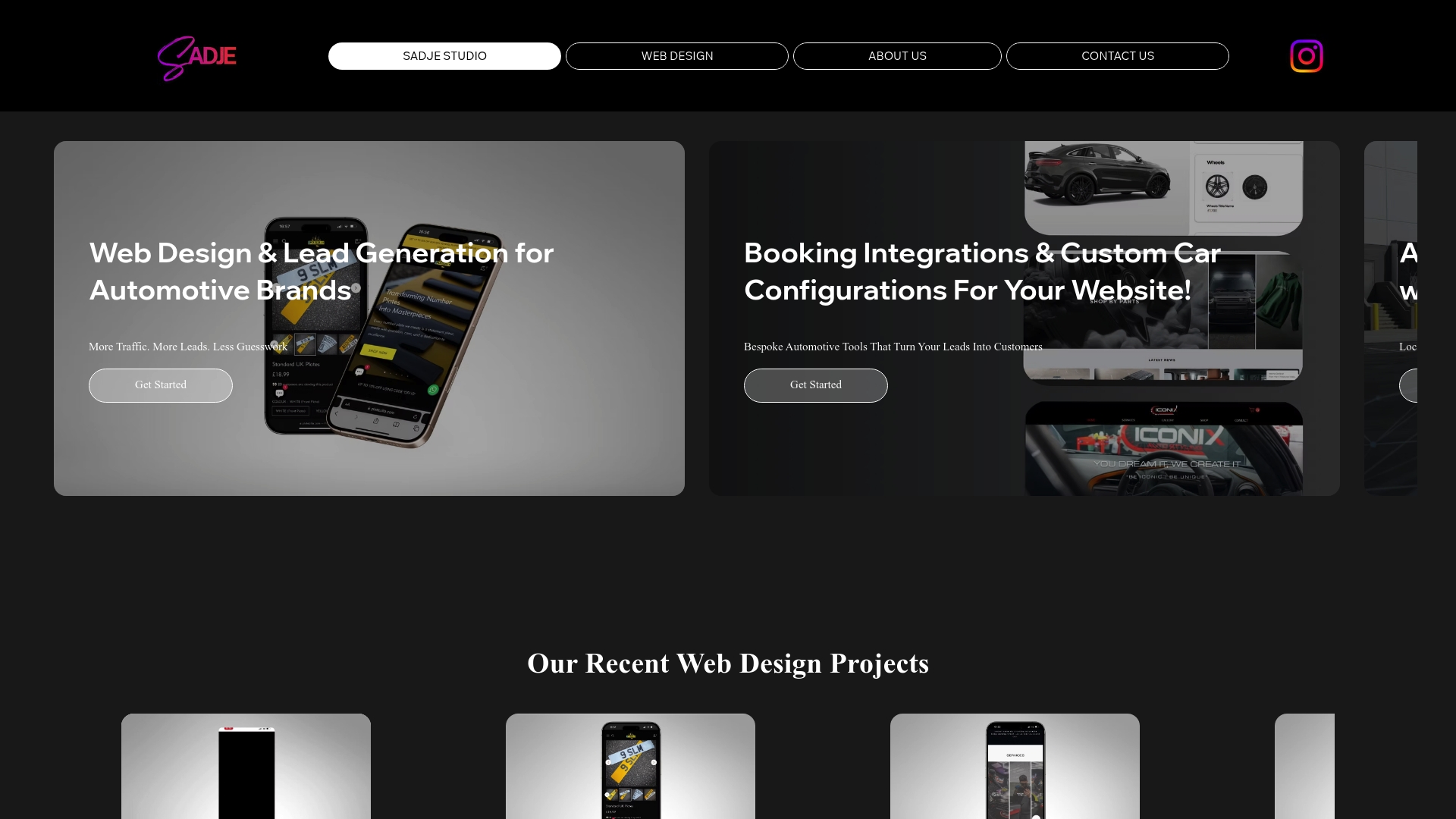
Ready to transform your website into a powerful lead-generation engine? Visit SADJE today and discover how our expert team can help you implement scalable auto service sites with integrated booking, instant quotes, and local SEO optimisation. Don’t wait to get ahead in your market. Connect with us now to build a website that delivers measurable results.
Frequently Asked Questions
How can I identify my auto service site’s core purpose?
Defining your auto service site’s core purpose involves determining what you want to achieve with it. Create a list of key functions, such as online booking or showcasing your service menu, and prioritise them by their importance to your business.
What are effective lead-generation features for an automotive website?
Effective lead-generation features include online booking systems, live chat support, and clear calls-to-action. Implement these features to streamline the customer journey, making it easy for visitors to convert into leads—aim for a conversion boost of at least 20% within the first month.
How do I integrate booking and quote systems effectively?
Choose a booking platform that fits your needs, ensuring it displays real-time availability and integrates with your existing calendar. Start by linking the booking system to your main website, and test the entire process from booking to confirmation to ensure a seamless experience for your customers.
What steps should I take to optimise my site for local SEO?
To optimise for local SEO, begin by claiming your Google Business Profile and ensuring all information is accurate. Additionally, create content that targets local keywords and includes structured data markup to improve your visibility in local search results.
How do I test my auto service site before launch?
Testing your auto service site involves checking all features, forms, and links for functionality across different devices and browsers. Conduct thorough testing to identify any errors and ensure a smooth user experience before going live, aiming for over 95% functionality to build customer trust.
Recommended