

Website User Experience: Driving Automotive Growth
- Feb 26
- 12 min read

A confusing website can send potential customers straight to your competitor before you even get a chance to impress them. For British garage and dealership owners, understanding the meaning of website user experience is vital to turning visits into enquiries. Customer interactions online cover much more than listings and booking buttons—they shape reputation, trust, and satisfaction. This article reveals how improving key elements of your site creates a welcoming journey that drives business growth.
Table of Contents
Key Takeaways
Point | Details |
User Experience is Critical | A well-designed automotive website fosters customer trust, satisfaction, and repeat business, directly impacting your bottom line. |
Prioritise Simplicity and Clarity | Streamlined navigation and interface can significantly reduce customer frustration and increase conversion rates. |
Leverage Data for Improvements | Implement analytics and user feedback to identify pain points and optimise user experience continually. |
Responsive Design is Essential | Ensure your site functions seamlessly across devices to capture the majority of mobile users searching for automotive services. |
Website User Experience Defined for Automotive
Website user experience for automotive businesses is about how customers interact with your digital presence before, during, and after they visit your dealership or garage. It extends far beyond basic functionality—it encompasses their emotional response, level of trust, and willingness to return or recommend you to others.
For UK automotive businesses, this means creating a website that guides potential customers smoothly from initial interest through to booking a service or purchasing a vehicle. The journey matters as much as the destination.
Why Definition Matters for Your Business
Understanding what user experience actually means helps you stop guessing about what works. How drivers and passengers interact with digital systems shapes their perception of your entire business, not just your website.
Many garage owners and dealership managers focus only on showing inventory or listing services. But customers are evaluating:
How quickly they find what they need
Whether the site feels trustworthy and professional
If booking an appointment is simple or frustrating
Whether they feel understood and valued
This is the difference between a website that exists and one that actually grows your business.
The Automotive UX Framework
Automotive user experience combines three critical elements:
Physical interaction – How customers navigate your website on mobile, tablet, or desktop
Digital interface – Whether your quote generators, booking systems, and configurators work smoothly
Emotional connection – Whether customers feel your business is reliable, professional, and worth their money
When a customer lands on your website, they’re making rapid judgement calls about whether you’re worth their time. Those first impressions shape everything that follows.
Research shows that visual appeal, joy of use, and driver identification directly influence customer satisfaction and recommendation rates. A garage website that looks outdated or confusing signals that your service standards might be equally poor.
What This Means for Your Website
Good automotive UX on your site means customers can:
Find your contact details in seconds
View your available services or stock without clicking through ten pages
Book appointments or request quotes without abandonment
Trust that your business is legitimate and professional
Poor UX loses you customers before they even call. A confusing layout, slow loading times, or clunky booking system sends potential clients to your competitors.

This is why a well-designed automotive website matters. Your site isn’t just marketing—it’s your first salesperson, working 24/7.
Pro tip: Audit your current website by pretending you’re a customer searching for a garage or dealership. Time how long it takes to find key information like opening hours, contact details, or booking buttons—if it takes more than three clicks, your UX needs improvement.
Core Elements Shaping Automotive UX Success
Successful automotive website UX doesn’t happen by accident. It relies on specific, measurable elements working together to guide customers from curiosity to conversion. For UK garages and dealerships, understanding these core elements is the difference between a website that sits idle and one that generates consistent leads.
The strongest automotive websites combine three fundamental pillars: intuitive design, safety-focused navigation, and user-centered development. Each plays a vital role in how customers perceive your business.
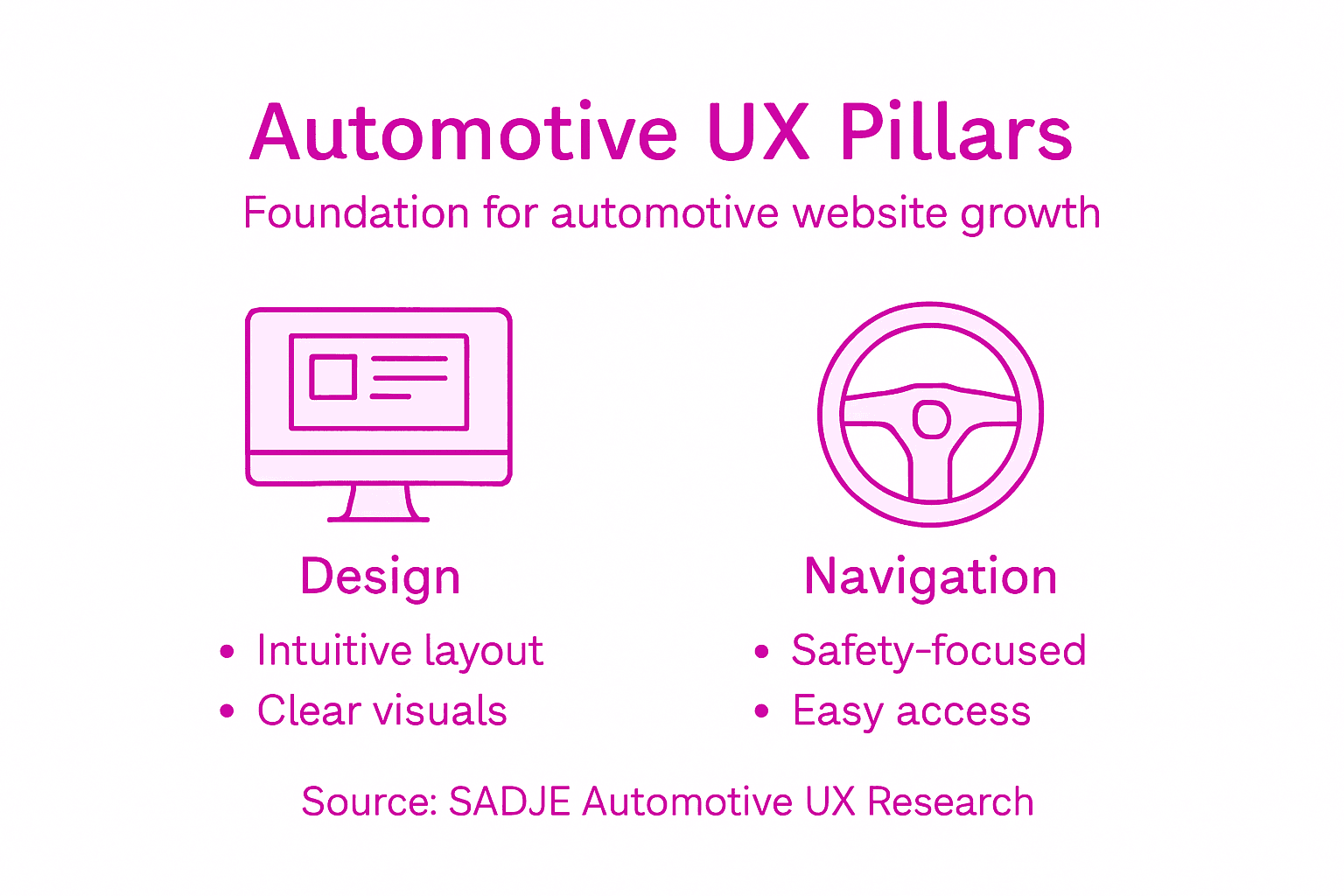
The Three Core Elements
Your website’s UX success depends on balancing these interdependent factors:
Adaptive Design – Your site must work seamlessly across mobile, tablet, and desktop devices, accounting for different user needs and technical skill levels
Interface Simplicity – Customers shouldn’t need a manual to book a service or view your inventory
Context-Aware Functionality – Show relevant information at the right moment, reducing confusion and decision fatigue
The most effective automotive websites remove friction at every step. Customers should progress from browsing to booking without feeling lost or uncertain.
Why Safety and Clarity Matter
Adaptive and safety-oriented design tailored to different user groups prevents common problems that drive customers away. Many garage websites overwhelm visitors with too many options or unclear pathways.
Your booking system, quote generator, or service menu should feel intuitive. When customers struggle to find basic information—like your opening hours or contact details—they assume your service standards are equally poor.
Data-Driven Development Wins
Building automotive UX based on guesswork fails. Instead, successful sites use:
User feedback from actual customers navigating your site
Usability testing to identify where people drop off
Cognitive ergonomics to match how customers actually think and browse
Performance analytics showing what works and what doesn’t
This approach transforms your website from a digital brochure into a genuine sales tool.
Practical Elements for Your Site
Applying these core principles means:
Mobile-first design (60% of automotive searches happen on phones)
Clear call-to-action buttons for booking, quotes, or contact
Fast-loading pages (slow sites lose customers in seconds)
Prominent trust signals (customer reviews, certifications, testimonials)
Consistent, professional branding throughout
When you apply implicit user feedback and cognitive ergonomics strategically, your website becomes a lead-generation machine rather than a static online brochure.
You’ll notice responsive web design matters significantly for automotive dealers because your customers are checking you out whilst driving past, sitting at home, or comparing you against competitors on their lunch break.
Pro tip: Test your website on multiple devices and browser types this week. If elements break, buttons disappear, or text overlaps on mobile, you’re losing customers with every visit.
How UX Drives Leads and Engagement
Good UX isn’t about making your website look pretty. It’s about converting browsers into buyers and turning one-off customers into loyal advocates. For UK automotive businesses, every element of your website’s user experience directly impacts your bottom line.
When customers navigate your site smoothly, find what they need quickly, and trust your professionalism, they take action. They book appointments, request quotes, and recommend you to friends. Poor UX does the opposite—it sends them straight to your competitors.
The Direct Connection Between UX and Leads
Intuitive interface design reduces complexity and driver distraction, creating an environment where customers feel confident making decisions. A garage or dealership website that feels cluttered or confusing signals poor service standards to potential clients.
When your website addresses real customer frustrations—like unclear pricing, complicated booking systems, or missing contact information—you eliminate barriers to conversion.
How Better UX Increases Customer Satisfaction
Simpler, clearer websites lead to higher satisfaction rates. Your customers experience:
Less frustration finding information
Faster decision-making processes
Greater confidence in your business professionalism
Higher likelihood of completing actions (booking, enquiries, purchases)
Satisfied customers become repeat business and referral sources. This multiplier effect compounds over time.
When customers find what they need within three clicks, they feel respected. This positive experience translates into loyalty and recommendations that no paid advert can match.
Engagement That Converts
Engagement means customers spend time on your site, explore your services, and move closer to conversion. This happens when your UX eliminates friction at every stage:
Discovery – They land on your site and immediately understand what you offer
Consideration – They find detailed information about services, pricing, or vehicles
Decision – They book, enquire, or contact you without hesitation
Action – They complete the conversion (booking, purchase, enquiry submission)
When you apply personalised interface design that adapts to user behaviour and context, your website transforms into a tool that actively guides customers toward conversion rather than leaving them to figure things out alone.
Building Loyalty Through Experience
Customers who experience excellent UX become brand advocates. They return for repeat business, leave positive reviews, and recommend you to others. This is where designing automotive service sites for lead generation matters most—it’s not just about the first interaction, but building relationships that sustain growth.
A website that respects your customer’s time, answers their questions clearly, and makes doing business with you effortless creates competitive advantage that pricing alone cannot achieve.
Pro tip: Analyse your website’s bounce rate and average session duration this week using Google Analytics. If visitors leave within 15 seconds or spend less than 30 seconds on your site, your UX needs immediate attention.
Critical Mistakes in Automotive Website UX
Most automotive websites fail not because of bad intentions, but because they make preventable mistakes. These errors cost you leads, damage your reputation, and hand business directly to competitors. Understanding what goes wrong helps you avoid the same pitfalls.
The biggest UX disasters happen when garage owners and dealership managers design websites for themselves instead of their customers. Your job is to serve customer needs, not showcase how clever your design is.
Complexity Is Your Enemy
Overly complex interfaces and lack of adaptation for diverse user needs remains the number one mistake in automotive UX. Customers visit your site with specific goals—they want to book a service, check your opening hours, or see your stock. Instead, many sites bury this information under layers of navigation.
When customers struggle to find basic information, they leave. Simple. They don’t think “I’ll try harder.” They think “I’ll try your competitor.”
The Five Most Damaging UX Mistakes
These errors actively repel customers from your business:
Mobile-unfriendly design – Over 60% of automotive searches happen on mobile, yet many sites look terrible on phones
Slow loading times – Customers abandon sites that take more than three seconds to load
Hidden contact information – If customers can’t find your phone number or email in seconds, they’ve already gone elsewhere
Complicated booking systems – Multi-step forms and unclear processes kill conversions instantly
Outdated visual design – A dated-looking website signals poor business standards, regardless of your actual service quality
A website that works perfectly on desktop but breaks on mobile is losing you half your potential customers. This isn’t an optional extra—it’s business-critical.
Ignoring User Research
Failing to simplify interactions and neglecting user research leads directly to bad design decisions. You might think your website is clear and easy to navigate. Your customers might disagree.
The only way to know is testing. Ask actual customers to use your site. Watch where they get stuck. Listen to their feedback.
Context Matters More Than You Think
Customers come to your website with different needs. Some want to buy a vehicle. Others need an MOT. Some are comparison shopping. Your site should adapt to these different contexts rather than forcing everyone through the same rigid path.
This is why advanced web design for automotive growth prioritises flexibility and user-centred approaches that guide different customer types toward their specific goals without friction.
Pro tip: Ask three non-technical friends or family members to navigate your website and book an appointment or request a quote. Time how long it takes and count how many clicks. If it exceeds three minutes or ten clicks, your UX needs urgent improvement.
Integrating Advanced Tools and Analytics
Guesswork destroys UX improvements. Data saves them. If you’re making decisions about your website based on hunches rather than evidence, you’re wasting time and money. Analytics and advanced tools transform your website from a static brochure into a dynamic, improving asset.
For automotive businesses, understanding how customers actually interact with your site—where they click, how long they stay, what makes them leave—changes everything. This data reveals opportunities competitors miss.
Why Data Matters More Than Opinions
Your opinion about your website’s usability is almost certainly wrong. You built it. You know where things are. Actual customers don’t have that advantage. They arrive fresh, confused, and impatient.
Advanced analytics and natural language processing identify challenges related to interface complexity and driver distraction by analysing real user behaviour at scale. What feels obvious to you might be baffling to customers.
Essential Analytics to Track
Start measuring these key metrics immediately:
Bounce rate – Percentage of visitors who leave without taking action
Time on page – How long customers spend on key pages (booking, services, stock)
Click-through rate – Which links and buttons customers actually use
Conversion rate – Percentage completing desired actions (bookings, enquiries, calls)
Mobile vs. desktop performance – Whether your site works equally well on all devices
These numbers tell you exactly where your website fails customers.
To clarify the effect of key usability metrics on business outcomes, see the following table:
Metric | Business Impact | Typical Improvement Action |
Bounce Rate | High bounce signals lost opportunities | Simplify navigation and layout |
Time on Page | Short time means low engagement | Add accessible, relevant content |
Conversion Rate | Low conversions reduce revenue | Streamline booking and enquiry forms |
Mobile Performance | Poor performance excludes mobile users | Optimise responsive design and speed |
Data doesn’t lie. When your bounce rate is 70%, it’s not a coincidence—your website is actively repelling visitors. Analytics expose this problem clearly.
Advanced Tools for Serious Growth
Beyond basic analytics, specialised tools provide deeper insights. Interactive visualisation platforms help you understand complex user behaviour patterns that raw numbers miss.
Evidence-based UX design decisions supported by interactive data analysis enable you to identify specific pain points and test solutions methodically. This transforms UX improvement from guesswork into a repeatable, measurable process.
Your website should include:
Here’s a comparison of basic and advanced UX tools relevant for automotive websites:
Tool Type | Key Function | Insight Provided | Typical Use Case |
Analytics Dashboard | Tracks user behaviour stats | Identifies drop-off pages | Overall site performance |
Heatmap Software | Visualises click and scroll areas | Reveals popular features | Improving page layouts |
Session Recordings | Records real user journeys | Spots navigation issues | Booking system optimisation |
A/B Testing Platform | Tests variation effectiveness | Measures conversion impact | Choosing headline or design |
Heatmaps – Visual maps showing where customers click and scroll
Session recordings – Watch actual customer journeys to understand frustrations
Form analytics – Track which form fields cause abandonment
A/B testing tools – Compare different versions to find what works
Customer feedback tools – Ask visitors directly what confused them
Turning Data Into Action
Collecting data without acting on it wastes effort. Look for patterns. If your booking page has an 80% abandonment rate, that’s your first priority.
Tools like Google Analytics, heatmap software, and session recording platforms reveal exactly what needs fixing. Top tools every garage should use often include basic analytics dashboards, but automotive-specific insights require deeper investigation.
Make small changes, measure results, repeat. This cycle compounds over months into dramatically improved performance.
Pro tip: Set up Google Analytics on your website this week if you haven’t already, then review your bounce rate and average session duration. If bounce rate exceeds 50% or average session is under 30 seconds, your UX needs urgent attention.
Enhance Your Automotive Website User Experience and Drive Real Growth
The article “Website User Experience: Driving Automotive Growth” highlights common challenges such as confusing booking systems, mobile-unfriendly design, and slow loading times that cost UK garages and dealerships valuable leads. If you recognise these pain points in your own website, improving your automotive UX is critical to capturing and converting visitors effectively. Concepts like adaptive design, interface simplicity, and context-aware functionality are not just buzzwords but essential steps to make your site a trustworthy, professional digital salesperson.
At SADJE, we specialise in bespoke automotive web development tailored to solve exactly these issues. Our advanced tools including intuitive booking systems, 3D configurators, and instant quote generators make the customer journey effortless while boosting engagement. We combine SEO plugins and paid advertising management to increase your online visibility and local lead generation. Let us help you transform your website into a high-performance platform that customers trust and competitors envy.
Don’t let poor UX lose you another customer. Explore how our expert team at SADJE can optimise your automotive website today with solutions designed specifically for garages and dealerships. Visit us now to start turning clicks into bookings and leads into loyal customers.
Frequently Asked Questions
What factors influence website user experience in the automotive sector?
Factors influencing website user experience include physical interaction (how users navigate the site), the digital interface (functionality of tools like booking systems), and emotional connection (the level of trust and professionalism perceived by users).
How can I improve the user experience on my automotive website?
To improve user experience, focus on adaptive design, simplifying the interface, and ensuring context-aware functionality. Ensure your site is mobile-friendly, loads quickly, and features clear navigation.
Why is a good website user experience important for automotive businesses?
A good website user experience is crucial as it affects customer satisfaction, engagement, and conversion rates. A seamless experience can turn browsers into buyers and lead to repeat business and referrals.
What are common mistakes to avoid in automotive website UX?
Common mistakes include overly complex interfaces, slow loading times, hidden contact information, and outdated visual design. These issues can frustrate customers and drive them to competitors.
Recommended
Comments